Browser Automation Inside Coding Agent Runs
Agents that drive browsers within a single run ship complete work instead of drafts.
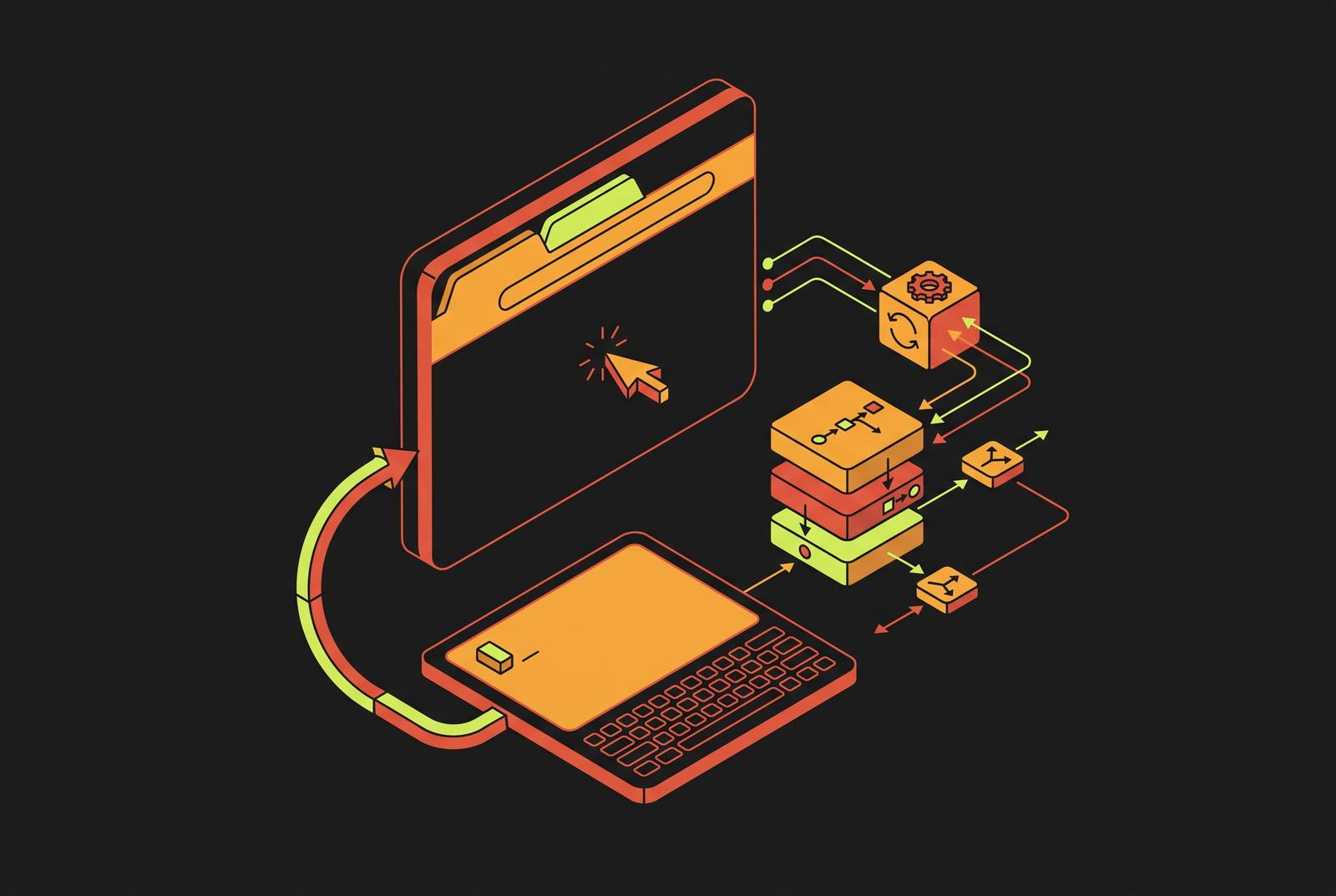
Browser automation has moved from a disconnected utility into the same task loop that writes, tests, and ships code. An agent that can drive a browser inside a single run can close tickets end-to-end. An agent that cannot stalls the moment any task touches the web. This architectural shift is what now separates coding agents that produce complete, verified work from those that produce drafts requiring human intervention.
The shift did not come from any single breakthrough. It came from three developments aligning at once. Language models became good enough to reason about page structure and act on it, managed browser infrastructure matured into dependable products, and the major agent harnesses, Claude Code, Cursor, Codex, and Opencode, gained direct browser control through MCP servers and lightweight SDKs. That last development is the decisive one: browser access became callable from inside the agent loop rather than something requiring a separate system and a separate workflow.
The practical consequence is easiest to see in a single example. An agent assigned a bug report can now navigate to the staging URL, observe the broken state, confirm the fix renders correctly, and attach a recording to the pull request, all within one run and without a human hand-off between steps. Now it is one continuous operation, which is why the capability is core rather than additive.
What the tooling layer between an agent and a browser actually looks like
Three distinct layers sit between an agent and a web page, and confusing them is the most common source of wrong tool choices. Understanding what each layer does, and which one a given problem actually requires, is what separates a reliable browser-capable agent from one that works in a demo and fails in production. The lowest layer is the browser runtime: a headless Chrome instance that accepts control commands. Underneath every higher-level tool sits the Chrome DevTools Protocol, or CDP, which Puppeteer, Playwright, and most agent frameworks speak natively. Cloudflare's Browser Run now exposes CDP directly as an endpoint, which means an agent framework can connect to a remote browser with a one-line config change, with no Chrome versions to manage and no browser infrastructure to maintain.
Above the runtime sits the automation framework. Its weakness is selector rot, the failure that occurs when a page changes its structure and the selectors that once worked no longer do. That is exactly where the AI layer above it adds value.
The newest layer, and the one most relevant to coding agent runs, is the browser harness. These are tools that expose browser control as MCP servers or lightweight SDKs that AI coding assistants can call directly. The documented examples include Cloudflare Browser Run's MCP client support, which lets Claude Desktop, Cursor, Codex, and Opencode use Browser Run as their remote browser; Vercel's agent-browser, a CLI for AI coding assistants; Microsoft's playwright-mcp; and Browser Use's browser-harness. These are not agent loops and not cloud infrastructure. They are the interface layer that lets an LLM drive a browser session without a full framework around it.
The Microsoft Playwright MCP server deserves particular attention because of how it handles the cost problem. It gives language models structured accessibility snapshots so they can automate a browser without a vision model for every interaction, and it works in MCP-compatible environments. That means it works with text-only model calls, which are cheaper and faster, a meaningful advantage when an agent needs to make dozens of browser observations in a single run.
The browser agent frameworks engineers are actually using inside coding runs
Choosing a browser framework for an agent depends on what the agent actually needs to do. The capabilities are not interchangeable: adaptive goal-directed navigation, deterministic control over a known flow, and clean structured extraction are different problems with different tools. Browser Use is the leading open-source Python framework for LLM-driven browser agents. It reads the DOM, plans actions, and adapts when page structure changes, which makes it suited to unfamiliar or unstable pages. The engineering tradeoff is that Browser Use requires the team to supply the browser endpoint, proxies, secrets management, and observability. It is a capable loop library, but it needs a platform underneath to reach production scale.
Stagehand is the TypeScript counterpart. It offers a small set of primitives, act, extract, and observe, built on top of Playwright with an AI reasoning layer, which suits TypeScript codebases that already use Playwright. Stagehand pairs natively with managed browser infrastructure, and adoption tends to look like incremental migration within existing Playwright codebases rather than a wholesale replacement.
Playwright itself remains the deterministic base. The engineer owns selectors, retries, deployment, and anti-bot handling. Most agent frameworks build on top of Playwright, and understanding it is understanding the foundation every higher-level tool rests on.
Skyvern specializes in form-heavy workflows and visual browser automation. Vercel Agent Browser is a CLI for AI coding assistants like Claude Code and Cursor, and its core and daemon are pure Rust, so you do not need Node.js. It is free and open source, and the engineer supplies the infrastructure and anti-bot handling.
The practical split practitioners make follows the task. Adaptive goal-directed agents, Browser Use, Stagehand, and Skyvern, handle tasks where the page is unfamiliar or changes. Harness-layer tools such as playwright-mcp, Vercel Agent Browser, and Browser Run MCP handle direct integration into coding agent runs via MCP. Replicas runs coding agents in pre-configured isolated Linux environments where agents can install browser runtimes, manage Chrome versions, and connect to remote browser endpoints without fighting local environment constraints, which makes the browser session part of the same sandboxed run that produces the pull request.
What the browser runtime environment needs to provide for agents to work reliably
The environment an agent runs in determines whether it can install dependencies, persist sessions, observe its own behavior, and recover from failures. A browser agent running on a shared or local machine is working against the environment rather than with it. Isolation is the first requirement. None of that is safe or reliable in a shared environment. Cloudflare Browser Run addresses this by spinning up headless Chrome on Cloudflare's global network on demand, with no Chrome versions to maintain and sessions that open near users for low latency, up to 120 concurrent browsers.
Control protocol access is the second requirement. Browser Run's CDP endpoint gives agents maximum control over the browser: JavaScript debugging, raw CDP message passing, which is more token-efficient than going through higher-level libraries, and compatibility with any language or environment without needing to write a Cloudflare Worker. Existing CDP automation scripts work on Browser Run with a one-line config change and no rewrite.
Observability is the third. Agent browser workflows fail in unusual ways: a model may overwrite a file, retry the same broken command repeatedly, or navigate into an authentication wall and silently stall. With Browser Run's Live View, engineers see what the agent sees in real time, and Session Recordings capture every browser session with DOM changes, user interactions, and page navigation for post-run debugging.
Human-in-the-loop handoff is the fourth requirement, and it addresses the failure modes observability reveals. When an agent hits an edge case it cannot handle, an unexpected login page, a CAPTCHA, an ambiguous state, the environment must be able to pause the agent and hand control to a human, then resume without losing session state. Browser Run's Human in the Loop feature implements exactly this pattern: agent stalls, human resolves, agent resumes.
A fifth development points to where the web itself is heading. WebMCP lets websites declare what actions agents can discover and call, so you get more reliable navigation than DOM scraping alone. Browser Run supports WebMCP. Google released an early preview of WebMCP in Chrome Canary in February 2026, introducing a Declarative API for HTML forms and an Imperative API for dynamic JavaScript-driven interactions, a signal of the direction the web is moving.
The through-line across all five requirements is that the framework does the reasoning, but the environment is what makes the reasoning reliable at scale. If the agent's execution environment is fully isolated and pre-loaded with dependencies, the browser harness tools work best. Agents in isolated cloud environments can install and manage their own browser runtimes, so they pick the right harness layer for the task without worrying about conflicts with other agents' setups or local machine constraints.
The kinds of engineering tasks that become possible when browser access is inside the agent run
In-run browser access is what separates agents that close tickets from agents that generate drafts. The browser is what connects code changes to observable outcomes, and the tasks it unlocks fall into a few distinct categories. Visual QA and regression verification is the most direct. An agent can navigate to a staging URL, screenshot the rendered result, compare it against an expected state, and attach the evidence to the pull request, all without a human doing the verification step. Warp's agents implement exactly this: after implementing a change and creating a GitHub PR, Wilson performs QA with computer-use verification that produces a video showing the completed feature and keystrokes. The browser session becomes the evidence that the change actually works.
End-to-end workflow testing goes a step further. An agent can drive a real browser through a user-facing flow, sign up, log in, complete a purchase, submit a form, and confirm the flow works after a code change. This catches integration failures that unit tests miss because unit tests never touch a rendered page.
Documentation and configuration scraping addresses a subtler failure mode. When you implement a library integration, an agent can fetch the current documentation page, extract the relevant API surface, and use that to write correctly versioned code. Dependency and environment setup works the same way: an agent can navigate package registries, check version compatibility, download packages, and confirm installation succeeded, tasks that require a real browser and network access rather than text prediction.
Security and availability checks round out the set. An agent can hit external endpoints, verify SSL certificates, check redirect chains, or confirm that a deployed service responds correctly, making it possible to include deployment verification inside the same run that produced the change. The common thread is that these are all tasks where the result of a code change must be verified against a real, rendered, live state, and where the verification step is what makes the pull request trustworthy enough to merge without additional human review.
Security risks that browser access inside agent runs introduces and how to contain them
Browser access is also the largest attack surface an agent run opens. An agent that can navigate the web can encounter content designed to hijack its instructions, and the threat is not hypothetical. Prompt injection via browser content is a documented, active attack surface for any agent running browser automation inside a coding run. Four separate agentic-browser attacks were disclosed in August 2026, when Zenity Labs expanded the PleaseFix attack set from one agent to five named agents including Claude in Chrome, Gemini in Chrome, Perplexity Comet, ChatGPT Atlas, and Copilot in Edge, adding techniques called Intent Collision and HistoryFixing. A page an agent visits can carry hidden instructions designed to redirect its behavior, and the agent has no reliable way to distinguish legitimate page content from injected commands.
Restricting network access is one mitigation, and Codex demonstrates the tradeoff. All outbound traffic routes through an HTTP/HTTPS proxy for security and abuse prevention, but the proxy does not filter web search, MCP connections, or browser and Computer Use activity. So you need to decide explicitly which phases of a run warrant open browser access.
Session isolation is another mitigation. Running each agent browser session in its own isolated environment, rather than a shared browser instance, limits blast radius. If a session is compromised, it cannot reach credentials, cookies, or session state from other runs, so a successful injection attack stays contained to that single session.
Tool curation matters more than tool quantity. Stripe's engineering team notes that their agents have access to nearly 500 tools, but these are carefully selected and maintained rather than accumulated. If an agent can call a browser tool, injected content can use that tool to influence behavior, so you should curate tools as a security decision rather than a convenience.
How browser-capable agents fit into the workflows engineering teams already run
Browser-capable agents are most valuable when they integrate into the workflows teams already use to track, assign, and review work, not when they require engineers to learn a new interface. The integration pattern that has emerged across multiple production deployments is consistent: Slack as the invocation layer, Linear as the state tracker, GitHub as the output. Warp's Wilson demonstrates the full pattern. A Slack request tags Wilson, Wilson opens a Linear issue, implements the change, creates a GitHub PR, and performs QA with computer-use verification that produces a video showing the completed feature. The browser access is what makes the QA step automated rather than human: the agent produces the change, and the browser session produces the evidence that the change works.
OpenAI Codex shipped a native Slack integration at general availability, with Linear added in December 2025. You can trigger autonomous cloud tasks without opening a terminal, and follow-up messages in the same Slack thread route to the same Codex task with the thread's existing context. The interaction model is a conversation, not a console session.
The browser's role in this workflow is the verification and evidence layer. The agent produces a PR, and the browser session produces the recording or screenshot that makes the PR trustworthy without requiring a human to manually open a browser and check. The point is not that any particular team is impressive but that the pattern is reproducible: Slack trigger, agent run with browser verification, PR output.
What engineering teams should configure before giving agents browser access in production
Getting browser access working in a demo is straightforward. Getting it reliable in production requires deliberate choices at each layer of the stack, and the decisions should be made before the first agent run rather than discovered through failures. Choose the browser control layer first. Decide whether the agent needs adaptive goal-directed navigation, which points to Browser Use or Stagehand, deterministic control over a known flow, which points to Playwright, or direct MCP-connected control from the agent harness, which points to playwright-mcp, Browser Run MCP, or Vercel Agent Browser. The right choice depends on whether the pages the agent visits are stable and known or variable and unfamiliar.
Run the browser in an isolated environment. Each agent run that opens a browser should do so in its own isolated session, not a shared browser instance, to prevent session state from leaking across runs and to contain the blast radius of a compromised session. Managed remote browser infrastructure such as Cloudflare Browser Run eliminates the operational burden of maintaining Chrome versions and scaling concurrent sessions while providing isolation by default.
Configure network access policies explicitly. Decide which phases of the agent run have open web access and which are network-restricted. Teams should treat this as a security decision, not a default.
Instrument observability before the first production run. An agent that navigates into an authentication wall and stalls silently is invisible without them. Every agent run should produce a recording or trace that a human can review, which is also what makes the PR output trustworthy for the reviewing engineer.
Establish a human-in-the-loop handoff point. Define in advance which conditions should pause the agent and hand control to a human, such as unexpected login prompts, CAPTCHA, or ambiguous state, rather than letting the agent retry indefinitely or fail silently. The handoff should be a designed feature of the workflow, not an emergency fallback.
Attribute every browser-inclusive run. Teams scaling browser-capable agent runs need to know which agent, which harness, which model, and which credentials were active for each run, both for cost attribution and for diagnosing failures when they recur. Browser-capable agents become a team-wide operating model only when every run is observable and attributable, which is the configuration task that matters most.